Activity Launcher APK
Download Activity Launcher APK Latest v2.1.4 Version for Android Free
App Name
Activity Launcher APK
Downloads
10M+
Size
7.5 MB
Version
2.1.4
System requirement
50 MB free space
Last update
October 01, 2025

Normally, we have to perform manual actions like going through different menus to enable certain features of apps. The same problem people face while enabling the developer mode on the device. But what if we told you that there is an app that lets you access features from a single place and even allows you to create shortcuts? Isn’t it amazing? The app is Activity Launcher APK.
This app lets you enable hidden features that are deep down within the app. Simply, we can say it’s a backdoor to the activities that apps don’t show. Moreover, this APK all version has many premium features not available in the standard app, like No Root Required, FRP Bypass, Increase FPS & Performance, etc. If you want to access the features with a single click, download the Activity Launcher Android APK.


If you are wondering how to do all these things, we’ve got your back. In this article, we have covered how to download and install the app, how to use it, and all its features. So you must go through this guide.
Learn more about Activity Launcher APK Download
What is Activity Launcher APK?
It’s the modified version of Activity Launcher that comes with advanced features not even available in the standard version. It offers a high level of customization and full control over your device. Even if you are a developer or someone who loves tweaking with their devices, you will find this app amazing. Moreover, what could be better than accessing the feature from the home screen? It makes the work easy to handle instead of going through manual settings to perform actions.
The other best thing about this app is that it lets you bypass FRP and is compatible with various devices. It would work well on Android, iOS, PC, Mac, Xiaomi MIUI 14, etc. Later in this article, you will know everything about this app. So let’s move forward.
What Does Activity Launcher Do?
The first thing this app does after we launch it is scan all the apps downloaded on your device and their activities. You get an organized list of all these apps, and when you click any app, you get its hidden features. Moreover, apps and even devices have hidden features only accessible to the developers. They use these activities for testing and advanced settings.
But this app makes all the advanced things accessible to you. For example, to open the developer, we have to click it 7 times, but with this tool, you can get it easily, making all the navigation convenient.

How does the APK Activity Launcher work?
Here we have provided a simple guide whole you can use this app. Follow the steps to get better performance.
Scanning Apps
When you install and open Activity Launcher, you will get a disclaimer saying something. You have to confirm by clicking on the Okay button. It will scan all the apps on your phone.
Listing Activities
You get a list of all the apps available on your devices. When you click on an app, it will show you all the activities of the app.

Launching Activities
Just tap on one activity, and Activity Launcher directly opens that screen, even if the app doesn’t normally show it.

Creating Shortcuts
If you like an activity (e.g, “Wi-Fi Advanced Settings”), you can make a shortcut on your home screen. Next time, you just have to tap the shortcut, and it opens instantly. There is no need to go through multiple menus.

How to Download and Install Activity Launcher APK for Android?
Follow the steps below to download the app or Activity Launcher Old Version from the website smoothly.
Minimum System Requirements
- Android 6.0 or higher required
- Stable Wi-Fi or mobile data.
- Permissions for storage and internet access.
How to Download and Install Activity Launcher APK on PC and Mac
To download Activity Launcher on PC or Mac, you have to use an emulator, after which you complete the downloading process. Below is the complete guide to download.
How to Download and Install Activity Launcher Mod APK on iOS
The APK files are made for iOS, but if you really want to try this app, here is a solution. We have provided some steps to download it without any problem.
What’s new in the latest version 2.1.4
Here are some new updates you will get on the latest version of the MOD Activity Launcher.
Key Features of Activity Launcher Mod APK
In the Mod version, the users always get something extra with an enhanced experience. All the features you will get are listed below.
Launch Hidden Activities
With this app, you can access the hidden parts of the apps, like deep actions or developer settings. This tool lets you get hidden features quickly that are not accessible via the regular UI.

Create Shortcuts
This is the coolest feature, which lets you enable the app settings, whether they are standard or hidden. You can enable the setting from a direct shortcut available on the home screen because of this app. Moreover, you can do further customization, like changing the shortcut name.
Lightweight & Fast
Despite this app being filled with advanced features and capabilities, it is still lightweight and works properly on the device without lagging. Users can do as many actions as they want easily and conveniently.
No Root Required
Many customization apps work with the root system, but the Activity Launcher performs actions seamlessly on any device without requiring the root system.
Activity Launcher Apk Frp Bypass
The other best thing about this app it helps users in bypassing the FPR. If you’re wondering what this thing is, then don’t worry. Sometimes people forget their login credentials or cause the device to reset; this is where this APK app comes in to help. It lets you regain access to your own devices

Increase FPS & Performance on Low-End Phone
If you are tired of lagging gameplay on your low-end device and looking to squeeze out every bit of performance, this feature of the app is best for you. With this app, you can tweak some settings in your device feature flag.
- You just need to download the APK, then open the Android system web viewer.
- Here you will see the main activity area. Click on the launch activity.
- You will see the flag icon. The only thing you need to do here is put some web code, which is the feature you will add to your device.
- Enable the option you will see on your screen.
- That’s it, your device will give better performance for any game like PUBG or Call of Duty.
Best Alternatives for APK Activity Launcher
In case you are searching for its alternatives, then this guide will be helpful for you. There are unlimited shortcut-creating apps, but the top related apps are stated below.

Activity Manager: Hidden activity launcher APKs
It was developed by André de Sousa and can be used to create shortcuts of hidden activities, actions, and settings. It is the best alternative to Activity Launcher, and can work with any app, whether user-installed apps or built-in core mobile OS system. After downloading it, you can access the Activity List, which will display both user and system applications, along with their activities. From there, you can create shortcuts.
MIUI Hidden Settings Activity
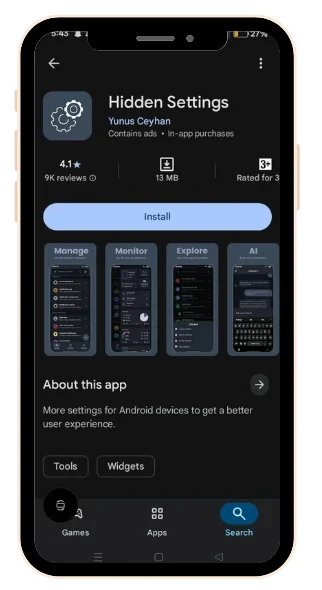
MIUI hidden settings app is an activity launcher where you can explore all hidden options for MI phones like newer os, MIUI 10, 11, 12, MIUI Roms like Xiaomi Poco, Redmi, or also for Android like Samsung, LG. This app can be a settings changer, a quick shortcut, and an unlock MIUI secret settings. Some of the common uses are MIUI disable app, Xiaomi and Qualcomm engineering mode, etc.
Nova Launcher
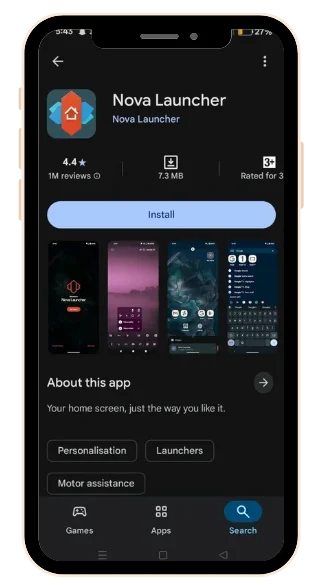
It is a powerful, customizable, and versatile home screen alternative. This app brings advanced features to enhance your home screens. But the best thing it is a great, user-friendly choice for everyone. If you want to customize your home screens or are looking for a cleaner or faster home launcher, then Nova is the best choice.
Personal Perspective
I am a person who prefers shortcuts instead of going a long way, if I get benefits from them. So, when it comes to going through so many menus and settings to enable a certain feature, it makes not only me but anyone feel annoyed. While searching for a way, I came across Activity Launcher APK, which allows users to explore the hidden features of the app and allows us to create shortcuts, so we can easily access them from the home screen.
I was so, so amazed by this app as it solved my issue of going through settings. Any time I need to enable some action, I open the app, choose the action, and then boom. So I highly recommend downloading this app if you really want to enjoy the convenience.
Troubleshooting Common Issues
Here we have covered the common issues you might face while downloading, installing, or using the app.
The Activity launcher APK is not working
It is a common issue, and the reason can be a slow internet connection, or you are using an older version. So the best ways to avoid this issue are
- Stable internet connection
- Use the latest version of Activity launcher.
Comparison: Activity launcher APK vs Activity Launcher Standard
Here you will get to see a comparison between the modified version, which comes with advanced features, and the standard version. This will give you an idea of why we consider APK better than the original one.
| Feature | Activity Launcher Standard | Activity Launcher APK |
| Source | Official Google Play listing by Adam Szalkowski | Downloaded from our platforms |
| Safety & Verification | Verified safe and secure with Google Play’s protections | Depend on the website reliability you are using to download it. |
| Updates & Beta Access | Easy access to updates and opt-in for beta releases via the Play Store | Requires manual APK updates |
| Resource Usage | Lightweight, ad-free, low resource usage | Similar lightweight performance, may vary depending on build |
| Languages & UI | Supports light/dark themes and over 20 languages | Interface similar; may include multi-language support depending on version |
| Installation | Simple install via the Play Store | Requires manual side-loading of APK files |
| Access to Hidden Features | List activities, create shortcuts, no root required | Identical functional access, but with more mod features |
Pros and Cons of Mod Activity Launcher
Not everything is perfect; we have faced the cons while enjoying the pros. The same is with this app; however, there is only one con, which is nothing compared to the features we get.
| Pros | Cons |
| Easy to use | Limited appeal and use case |
| Works on all apps | |
| Customizable shortcuts |
How to Bypass FPS by Activity Launcher
FAQs
Wrapping Up
Activity launcher APK is an app that was designed specifically to offer convenience to users so they can easily navigate through settings. Instead of doing actions or enabling the features manually through settings, this app offers one way to do it. You can create shortcuts of features and enable or disable them from the home screen. You can access all the hidden features and even the developer mode from this app. So don’t wait and download the APK Activity launcher from the button given above and enjoy all shortcut features.